
How Long Do Cordless Vacuum Batteries Last?
Cordless vacuum batteries typically last for several years before their capacity noticeably declines, but the exact lifespan depends on the battery, how often the vacuum is used, and how it is charged and stored.
There are really two different questions here. One is battery lifespan, meaning how many years the battery remains useful. The other is runtime, meaning how long the vacuum runs on a single charge.
Both matter when choosing a cordless vacuum, especially if you have a larger home or expect to use higher suction settings regularly.
Key Takeaways
- Cordless vacuum batteries commonly remain useful for roughly 2 to 5 years, although actual lifespan varies by model and usage.
- Runtime on a single charge can range from around 15 minutes to more than an hour, depending on the vacuum and power setting.
- Higher suction modes usually reduce runtime significantly compared with Eco or low-power modes.
- Heat, frequent deep discharges, and poor storage conditions can contribute to faster battery degradation.
- A removable battery can make a vacuum easier and less expensive to keep using once the original battery wears out.
How Long Does a Cordless Vacuum Battery Last Overall?
Most cordless vacuums use lithium-ion batteries, the same general battery technology found in phones, laptops, and cordless power tools. These batteries gradually lose capacity as they age and go through repeated charge cycles.
A useful cordless vacuum battery may last around 2 to 5 years, but there is no universal replacement schedule. A vacuum used every day may show noticeable battery decline sooner than one used only a few times per week.
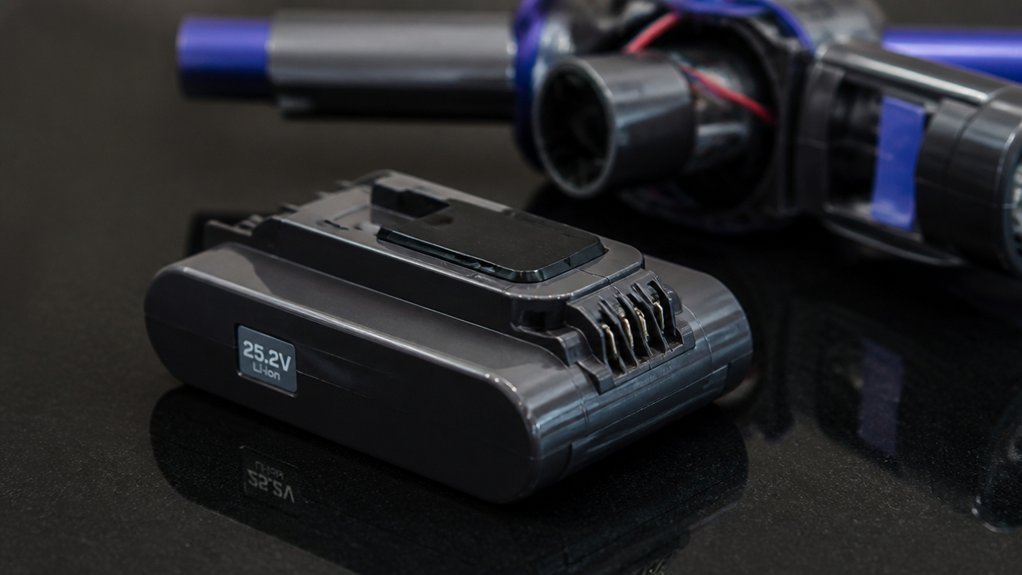
Battery lifespan also depends on the design of the vacuum. Some models use removable battery packs that can be replaced in seconds, while others use batteries that are built into the vacuum and may require more work or professional service to replace.
If long-term ownership matters to you, replacement battery availability is worth checking before buying. Our cordless vacuum buying guide compares models across features that can affect everyday usability.
How Long Does a Cordless Vacuum Run on One Charge?
Runtime varies considerably between models and often changes depending on the cleaning mode being used.
Lower-power settings generally provide the longest runtime. High, Turbo, or Boost settings use more power to increase suction, so the battery drains much faster.
| Typical Setup | Approximate Runtime | Best Suited To |
|---|---|---|
| Single battery, higher power | About 15 to 30 minutes | Quick cleaning and smaller areas |
| Single battery, lower power | About 30 to 60 minutes | General floor cleaning |
| Long-runtime or dual-battery models | 60 minutes or more | Larger homes and longer cleaning sessions |
These are broad ranges rather than guarantees. Manufacturers usually quote maximum runtime using lower-power settings, and real-world runtime can be shorter when using motorized floor heads or stronger suction modes.
Some cordless vacuums advertise extended runtimes on Eco settings, which can be useful if you want to clean several rooms without stopping to recharge.
What Can Shorten Cordless Vacuum Battery Life?
Lithium-ion batteries naturally degrade over time, but certain conditions can speed up the process.
Frequent High-Power Use
High and Boost modes consume considerably more energy than standard or Eco settings. This mainly affects runtime during each cleaning session, so reserving maximum suction for areas that actually need it can help you get more cleaning time from each charge.
Heat
High temperatures are generally unfavorable for lithium-ion batteries. Avoid storing a cordless vacuum next to heaters, in direct sunlight, or in other unusually hot locations.
Leaving the Battery Fully Depleted
It is generally better not to leave a lithium-ion battery sitting completely discharged for long periods. Recharging the vacuum after cleaning helps ensure it is ready for the next use and avoids prolonged storage at an empty charge level.
Age and Charge Cycles
Every rechargeable battery has a finite lifespan. After enough charging and discharging cycles, the battery gradually holds less energy than it did when new. This decline is normal and does not necessarily mean something is wrong with the vacuum.
5 Signs Your Cordless Vacuum Battery May Need Replacing
Battery decline is usually gradual. A few common warning signs can tell you that the pack is no longer performing as it should.
-
Runtime has dropped noticeably.
If a vacuum that once cleaned several rooms now runs for only a fraction of that time, the battery may have lost a significant amount of capacity.
-
The vacuum shuts down shortly after starting.
A battery that cannot maintain voltage under load may cause the vacuum to stop even though it appeared to have a charge.
-
The battery will not hold a charge.
If the battery reaches full charge but quickly drains while the vacuum is sitting unused or during light cleaning, replacement may be approaching.
-
Charging becomes inconsistent.
Unusual charging behavior can sometimes point to a battery, charger, or connection problem. Checking the manufacturer’s troubleshooting guidance can help narrow down the cause.
-
The battery appears damaged or swollen.
Physical swelling, cracking, leakage, or unusual overheating should be taken seriously. Stop using a visibly damaged battery and follow the manufacturer’s instructions for replacement and disposal.
How to Help a Cordless Vacuum Battery Last Longer
You do not need a complicated charging routine. A few sensible habits can help protect the battery and keep the vacuum convenient to use.
| Habit | Why It Helps | Practical Tip |
|---|---|---|
| Recharge after use | Avoids leaving the battery depleted for long periods | Return the vacuum to its charger after cleaning if the manufacturer recommends it |
| Use Boost mode selectively | Extends runtime per charge | Use maximum suction for tougher areas rather than the entire cleaning session |
| Store away from excessive heat | Heat can accelerate battery aging | Choose a cool, dry indoor storage location |
| Follow the manufacturer’s charging instructions | Charging systems differ between models | Check the manual before changing normal charging habits |
Battery care is only one part of long-term ownership. Filter maintenance, brush-roll cleaning, and keeping airflow paths clear can also help the vacuum operate as intended.
Is a Replaceable Battery Worth It?
For many shoppers, yes. A removable battery can extend the practical life of a cordless vacuum because you may be able to replace the battery instead of replacing the entire machine.
Some vacuums also support interchangeable battery packs. Keeping a second charged battery can effectively extend cleaning time without waiting for the first pack to recharge.
Before buying, check the price and availability of replacement batteries. A vacuum with a strong runtime specification is less appealing if replacement packs are difficult to find a few years later.
If you are weighing cordless cleaning against a more automated option, our robot vacuum vs cordless vacuum comparison explains the advantages and limitations of each approach.
Frequently Asked Questions
Can You Replace the Battery in a Cordless Vacuum?
It depends on the model. Many cordless vacuums use removable battery packs, while others have batteries that are more permanently integrated into the vacuum.
If replacement matters to you, check whether the manufacturer sells replacement batteries before choosing a model. Also check the replacement procedure, since some batteries can be swapped without tools while others require disassembly.
How Much Cordless Vacuum Runtime Do You Need?
For quick cleaning or a small apartment, 20 to 30 minutes may be enough. Larger homes may benefit from a model offering 40 to 60 minutes or more on its lower-power settings.
Keep in mind that advertised maximum runtime is often measured using an energy-saving mode. Using stronger suction or a powered floor head may reduce the amount of cleaning time available from each charge.