
Getting the right gaming monitor can seriously boost performance, whether you’re after pixel-perfect accuracy or ultra-smooth motion.
The best displays blend high refresh rates (think 240Hz or even 280Hz), fast response times, and vibrant color, which means smoother tracking, crisp visuals, and less blur.
Plus, features like adaptive sync, ergonomic stands, and high-res panels can really round out your setup.
But which monitors actually make a difference when every frame counts? Let’s break it down.
Key Takeaways
- Ultra-high refresh rates (240Hz–300Hz) and low response times (as low as 0.03ms) ensure blur-free, ultra-responsive gameplay for competitive advantage.
- Advanced adaptive sync technologies like AMD FreeSync Premium and G-SYNC Compatible minimize screen tearing and input lag for smoother visuals.
- Wide color coverage (up to 130% sRGB and Pantone Validated) and HDR support deliver vibrant, accurate visuals for immersive gaming experiences.
- Ergonomic stands, VESA mounting, and eye comfort features (low blue light, flicker-free) promote longer, more comfortable gaming sessions.
- Modern connectivity, including HDMI 2.1, DisplayPort 1.4, and USB-C, ensures full compatibility with the latest PCs and consoles at high frame rates.







More Details on Our Top Picks
Dell 27″ 240Hz FHD Gaming Monitor (SE2726HG)
For competitive gamers who crave every millisecond, the Dell 27″ 240Hz FHD Gaming Monitor (SE2726HG) shines as a high-performance pick tailored for esports-level demands. It features a 27-inch IPS display with Full HD resolution (1920 x 1080) and a zippy 240Hz refresh rate, so motion stays buttery smooth even in frantic shooters.
The 0.5ms response time means ghosting is practically non-existent. And with AMD FreeSync Premium and HDMI VRR, screen tearing is kept at bay. You also get:
- Vivid color from 99% sRGB coverage
- Wide IPS viewing angles
- Reduced blue light for eye comfort (TÜV Rheinland certified)
- Screen Size:27-inch
- Resolution:Full HD (1920 x 1080)
- Panel Type:IPS
- Maximum Refresh Rate:240Hz
- Adaptive Sync/Variable Refresh Rate Support:AMD FreeSync Premium, HDMI VRR
- Ergonomic Adjustability (Tilt/Height/Swivel/Pivot):Tilt adjustment
- Additional Feature:TÜV Rheinland 3-star
- Additional Feature:99% sRGB color coverage
- Additional Feature:0.5 ms Fast IPS
SANSUI 27″ Curved 240Hz FHD Gaming Monitor
Gamers searching for a curved value pick with smooth visuals should consider the SANSUI 27″ Curved 240Hz FHD Gaming Monitor. This 27-inch, 1500R curved panel delivers Full HD clarity at a blazing 240Hz refresh rate and quick 1ms response, keeping motion crisp and ghosting minimal.
Color pops with 130% sRGB and 95% DCI-P3 coverage, while the 4000:1 contrast ratio and HDR support deepen shadows and brighten highlights. Key features include:
- Anti-glare and anti-flicker technology
- Ports: HDMI, DisplayPort 1.4, audio jack
- Durable metal stand with tilt, VESA mounting
Warranty offers peace of mind with lifetime tech support.
- Screen Size:27-inch
- Resolution:Full HD (1920 x 1080)
- Panel Type:VA
- Maximum Refresh Rate:240Hz
- Adaptive Sync/Variable Refresh Rate Support:Not specified (likely supported)
- Ergonomic Adjustability (Tilt/Height/Swivel/Pivot):Tilt adjustment (-5° to 15°)
- Additional Feature:1500R curved display
- Additional Feature:130% sRGB color gamut
- Additional Feature:Preset game modes
AOC 27 Inch Curved Gaming Monitor FHD 280Hz VA 0.3ms HDR C27G4ZH
High-octane action and buttery-smooth visuals set the AOC 27 Inch Curved Gaming Monitor, C27G4ZH, apart with its fastest refresh rate of 280Hz. This 27-inch VA panel wraps you into gameplay with a 1500R curve, delivering Full HD clarity and a rapid 0.3ms response time, so ghosting and smearing are virtually banished.
Want crisp, vibrant colors and deep contrast? HDR readiness and a high dynamic contrast ratio got you covered. Plus, the adjustable stand lets you tweak tilt, swivel, and height for comfort. And for mounting flexibility, VESA compatibility is included. Here’s a monitor that means business, seriously.
- Screen Size:27-inch
- Resolution:Full HD (1920 x 1080)
- Panel Type:VA
- Maximum Refresh Rate:280Hz
- Adaptive Sync/Variable Refresh Rate Support:Adaptive Sync
- Ergonomic Adjustability (Tilt/Height/Swivel/Pivot):Tilt, swivel, height
- Additional Feature:280Hz ultra-high refresh
- Additional Feature:0.3ms rapid response
- Additional Feature:Adjustable height/swivel
Samsung 27″ Odyssey OLED G6 (G61SH) QD-OLED QHD (1440P) Gaming Monitor
Anyone seeking a premium OLED choice that blends high-end visuals with lightning-fast performance should take a close look at the Samsung 27″ Odyssey OLED G6 (G61SH) QD-OLED, QHD (1440P) Gaming Monitor. This monitor sports a 27-inch QD-OLED panel delivering rich, Pantone Validated color accuracy and crisp 1440p resolution.
You get HDR10 for vibrant highlights and deep shadows, plus glare-free tech to keep distractions at bay. For gaming, the 240 Hz refresh rate and 0.03 ms response time, paired with AMD FreeSync Premium, practically erase lag and tearing. Adjustable height, pivot, tilt, and swivel add ergonomic flexibility.
- Screen Size:27-inch
- Resolution:QHD (2560 x 1440)
- Panel Type:QD-OLED
- Maximum Refresh Rate:240Hz
- Adaptive Sync/Variable Refresh Rate Support:AMD FreeSync Premium
- Ergonomic Adjustability (Tilt/Height/Swivel/Pivot):Height, pivot, tilt, swivel
- Additional Feature:QD-OLED panel
- Additional Feature:Pantone Validated colors
- Additional Feature:OLED Safeguard technology
LG 24-inch Full HD IPS Monitor (120Hz)
For those tight on desk space or budget, the LG 24-inch Full HD IPS Monitor shines as a compact budget pick. This monitor packs a punch with its 120Hz refresh rate and 1ms Motion Blur Reduction, making gameplay delightfully smooth and sharp.
Colors pop thanks to 99% sRGB coverage and HDR10 support. Plus, an ultra-slim three-sided borderless design keeps things looking sleek.
Key highlights:
- Dynamic Action Sync for low input lag
- Reader Mode and Flicker Safe for eye comfort
- Adjustable tilt (from -5° to 20°)
- Black Stabilizer for better vision in dark scenes
Ideal for gaming, productivity, or creative tasks!
- Screen Size:24-inch
- Resolution:Full HD (1920 x 1080)
- Panel Type:IPS
- Maximum Refresh Rate:120Hz
- Adaptive Sync/Variable Refresh Rate Support:Not specified (likely some sync support)
- Ergonomic Adjustability (Tilt/Height/Swivel/Pivot):Tilt adjustment (-5° to 20°)
- Additional Feature:Ultra-slim bezels
- Additional Feature:Reader Mode blue light
- Additional Feature:Switch app multitasking
Dell 32 Monitor S3225QS 4K UHD VA 120Hz FreeSync Premium Eye Comfort
Gamers seeking sharp 4K visuals and smooth motion will appreciate the Dell 32 Monitor S3225QS, especially with its 32-inch UHD VA panel that packs in both vibrant color and crisp detail. This display covers 99% sRGB and 95% DCI-P3 for excellent color accuracy, while a 1500:1 contrast ratio and HDR support make shadows and highlights pop.
Fast-paced action is handled smoothly thanks to 120Hz refresh rate, AMD FreeSync Premium, and an ultra-low 0.03 ms response time. For marathon sessions, ComfortView Plus reduces blue light emissions without sacrificing color. And the ash white, slim-bezel design looks sharp anywhere.
- Screen Size:32-inch
- Resolution:4K UHD (3840 x 2160)
- Panel Type:VA
- Maximum Refresh Rate:120Hz
- Adaptive Sync/Variable Refresh Rate Support:AMD FreeSync Premium
- Ergonomic Adjustability (Tilt/Height/Swivel/Pivot):Not specified (likely tilt)
- Additional Feature:32-inch 4K UHD
- Additional Feature:Enhanced built-in audio
- Additional Feature:Ash white minimalist design
Acer Nitro 27in QHD 2560×1440 IPS 300Hz Gaming Monitor XV272U F3bmiiprx
Blistering-fast refresh rates set the Acer Nitro XV272U F3bmiiprx apart for competitive gamers and creative professionals who demand ultimate speed. This 27-inch QHD monitor uses an IPS panel with a 2560×1440 resolution, providing sharp visuals and accurate colors.
The real highlight? A staggering 300Hz refresh rate and ultra-low 0.5ms response time. That means minimal smearing, ghosting, and reduced input lag. Color-critical users will appreciate 99 percent sRGB coverage. And the ZeroFrame design keeps your focus where it matters—on the action.
For anyone juggling gaming and creative work, this monitor blends smooth motion, vibrant color, and sleek edges in one solid package.
- Screen Size:27-inch
- Resolution:QHD (2560 x 1440)
- Panel Type:IPS
- Maximum Refresh Rate:300Hz
- Adaptive Sync/Variable Refresh Rate Support:Not specified (likely supported)
- Ergonomic Adjustability (Tilt/Height/Swivel/Pivot):Not specified (likely tilt)
- Additional Feature:300Hz extreme refresh
- Additional Feature:ZeroFrame edge design
- Additional Feature:99% sRGB coverage
Sceptre 22-Inch 144Hz FHD Gaming Monitor
Those seeking a compact yet high-performance gaming monitor for a small workspace will find the Sceptre 22-Inch 144Hz FHD Gaming Monitor a smart pick. Its 22-inch FHD 1080p display offers a fluid 144Hz refresh rate, which means smoother motion during fast-paced games.
And thanks to the minimal bezel design, setting up a seamless multi-monitor array is a breeze. Key features worth noting:
- HDMI and DisplayPort connectivity for flexible setup
- Built-in speakers to keep your desk tidy
- Blue-Light Shift technology that helps reduce eye strain during marathon sessions
This monitor balances sleek style with practical gaming-focused features.
- Screen Size:22-inch
- Resolution:Full HD (1920 x 1080)
- Panel Type:Not specified (likely VA or TN)
- Maximum Refresh Rate:144Hz
- Adaptive Sync/Variable Refresh Rate Support:Not specified (likely some sync support)
- Ergonomic Adjustability (Tilt/Height/Swivel/Pivot):Not specified
- Additional Feature:Integrated speakers
- Additional Feature:Blue-Light Shift tech
- Additional Feature:Minimal bezel design
Samsung 27″ Odyssey G5 (G51F) Series QHD (1440P) Gaming Monitor
Serious about stepping up console or PC gaming without overspending? The Samsung 27″ Odyssey G5 (G51F) Series QHD Gaming Monitor checks a lot of boxes for competitive-minded players. It offers a sharp 2560 x 1440 resolution, delivering about 1.7 times the pixel density of standard Full HD, so visuals look crisp and detailed.
Fast-paced action? No problem, thanks to a 180 Hz refresh rate and 1 ms response time. Plus, AMD FreeSync keeps motion smooth. Key highlights include:
- HDR10 support for vibrant colors and deeper shadows
- Adjustable stand (tilt, pivot, height)
- Black Equalizer for better visibility in dark scenes
- Screen Size:27-inch
- Resolution:QHD (2560 x 1440)
- Panel Type:Not specified (likely VA)
- Maximum Refresh Rate:180Hz
- Adaptive Sync/Variable Refresh Rate Support:AMD FreeSync
- Ergonomic Adjustability (Tilt/Height/Swivel/Pivot):Tilt, pivot, height
- Additional Feature:Black Equalizer feature
- Additional Feature:HDR10 enhanced visuals
- Additional Feature:Real-time gaming responsiveness
SANSUI 27″ WQHD 200Hz IPS Gaming Monitor
Gamers hunting for a crisp, high-refresh, WQHD budget choice will want to check out the SANSUI 27″ ES-G27F2Q. This 27-inch monitor packs a sharp 2560 x 1440 IPS panel, reaching up to 200Hz for ultra-smooth gameplay.
Brightness hits 320 nits and color pops with 120 percent sRGB coverage. Want immersive visuals? HDR support and wide 178-degree viewing angles help.
Input options abound: dual HDMI 2.0 and DisplayPort 1.2 (cable included). There’s a sturdy metal stand with tilt, VESA mounting, and anti-flicker plus low blue light for eye comfort. Warranty? Thirty days for returns, lifetime tech support.
- Screen Size:27-inch
- Resolution:WQHD (2560 x 1440)
- Panel Type:IPS
- Maximum Refresh Rate:200Hz
- Adaptive Sync/Variable Refresh Rate Support:Adaptive Sync
- Ergonomic Adjustability (Tilt/Height/Swivel/Pivot):Tilt adjustment (-5° to 15°)
- Additional Feature:120% sRGB color gamut
- Additional Feature:Game assistant modes
- Additional Feature:Lifetime technical support
Factors to Consider When Choosing Gaming Monitors
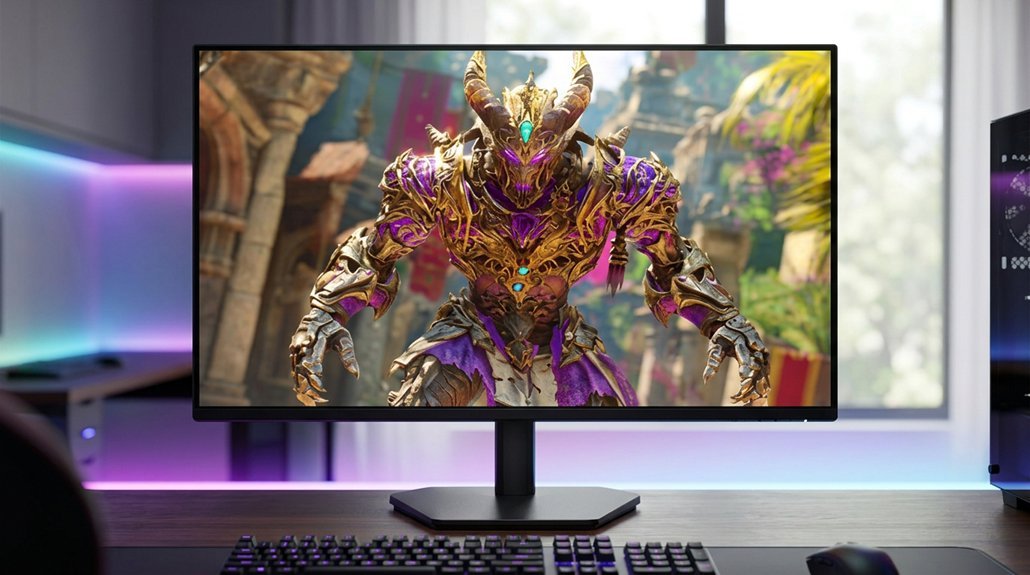
When picking a gaming monitor, a few key factors can make all the difference in your experience. Refresh rate, resolution, response time, connectivity, and ergonomic design each play a role in smooth gameplay, sharp visuals, and long-lasting comfort.
Let’s break down why these features matter and how they can shape your setup!
Refresh Rate Importance
How much difference does a monitor’s refresh rate really make? When it comes to gaming, quite a bit! Refresh rate, measured in hertz (Hz), is how many times per second your monitor redraws the image. The jump from 60Hz to 120Hz is especially noticeable: motion looks smoother, fast-paced action feels clearer, and you get less motion blur.
If you love shooters or racing games, this can mean quicker reaction times and more precise aiming.
Here’s why refresh rate matters:
- Smoother visuals at higher Hz (120, 240, even 300Hz)
- Reduced motion blur, so tracking moving targets is easier
- Lower perceived input lag, which helps with control responsiveness
But keep in mind, your graphics card needs to deliver high frame rates to truly benefit.
Resolution and Clarity
After thinking about refresh rates and the smoothness of gameplay, it’s just as important to look at what makes images crisp and detailed on screen: resolution and clarity. Higher resolutions like 2560×1440 (QHD) or 3840×2160 (4K) cram more pixels into the same space than standard 1920×1080 (Full HD). That means sharper textures, cleaner lines, and more lifelike visuals, especially noticeable on 27-inch and larger monitors.
The secret sauce here is pixel density (measured in PPI): more pixels per inch make games and text look smoother and less blocky. But running a monitor at anything other than its native resolution? That’s a shortcut to blurriness and lost detail. And remember, higher resolutions mean your graphics card will be working overtime!
Response Time Matters
Not all specs have as much impact on gaming as response time: this one is a genuine game-changer. Response time measures how fast a pixel shifts from one shade to another, usually in milliseconds (ms). A lower response time, like 1 ms or even 0.5 ms, means less motion blur and ghosting, so action looks crisp even when the pace gets frantic.
Here’s what matters:
- TN and Fast IPS panels usually hit the 0.5–1 ms sweet spot.
- VA panels tend to lag behind, often producing more visible trailing.
- Look for specifics like “GTG” (gray-to-gray) or “MPRT” in the specs.
But don’t get fooled by super-low numbers, overdrive can help, but too much causes artifacts. The best monitors find a balance.
Connectivity Options Overview
Once response time is sorted, there’s another important piece of the gaming monitor puzzle: connectivity. The ports and cables you choose directly affect the refresh rates and resolutions your monitor can deliver. Want buttery-smooth 1440p at 240Hz or even 4K at 120Hz? You’ll need HDMI 2.1 or DisplayPort 1.4, plus high-speed, certified cables.
For variable refresh rate magic like FreeSync or G-SYNC Compatible, double-check which ports actually support those features.
Consider these must-haves:
- USB-C with DisplayPort Alt Mode (great for laptops)
- USB hubs for charging or connecting peripherals
- KVM switches for quick swaps between devices
Don’t overlook audio: built-in speakers, upstream USB, or audio jacks can save hassle with headsets or speakers. Always confirm what’s included in the box.
Ergonomics and Comfort
When it comes to racking up hours in front of a gaming monitor, ergonomics and comfort aren’t just nice-to-haves: they’re essential for both performance and long-term health. A well-designed monitor should include adjustable height, tilt (at least -5° to 20°), and swivel or pivot features so you can keep your neck in a neutral, strain-free position.
VESA 100×100 mm compatibility is a big plus, letting you mount your display for even greater flexibility. And don’t overlook your eyes: look for anti-glare coatings, adjustable brightness (with a low minimum), flicker-free backlighting, and blue-light reduction modes. For best results, set the top of the screen at or just below eye level and keep your monitor about an arm’s length (50–70 cm) away.
Frequently Asked Questions
Do Gaming Monitors Work Well for Console Gaming Like PS5 or Xbox?
Absolutely, gaming monitors can work great for consoles like PS5 and Xbox! Here’s why:
Many monitors offer HDMI 2.1 ports, which support 4K at 120Hz, taking full advantage of next-gen console capabilities. Faster refresh rates and low input lag mean smoother gameplay and quicker reactions.
Features like Variable Refresh Rate (VRR) and HDR enhance visual quality. Just make sure the monitor matches your console’s output for the best experience.
How Do I Properly Clean and Maintain My Gaming Monitor?
Did you know a typical monitor collects about 600 particles of dust per square inch each week? To keep it pristine, unplug it first. Use a microfiber cloth, avoid paper towels, which can scratch the surface.
For stubborn smudges, lightly dampen the cloth with distilled water or a 50/50 mix of water and isopropyl alcohol. Never spray directly on the screen. And don’t forget: clean vents monthly to prevent overheating!
Are Extended Warranties Worth It for Gaming Monitors?
Extended warranties for gaming monitors can make sense in certain cases, but they’re not always essential. Consider these points:
- If the monitor is pricey or has unique features, extra coverage might bring peace of mind.
- Most defects show up within the standard warranty period.
- Some credit cards add an extra year of protection automatically.
Can I Use a Gaming Monitor for Work or School Tasks?
Absolutely, a gaming monitor can handle work or school tasks just fine! The high refresh rate and fast response time make scrolling through long documents or spreadsheets feel extra smooth. Plus, most models offer crisp, accurate colors and adjustable stands for comfy all-day use.
Here’s what you get:
- Ultra-clear text and images
- Reduced eye strain from flicker-free tech
- Multiple ports for laptops or tablets
And let’s be honest, multitasking feels a bit more epic!
What Cables Are Needed to Connect a Gaming Monitor to My PC?
To connect a gaming monitor to your PC, you’ll usually need one of these cables:
- HDMI: Great for most modern monitors and PCs.
- DisplayPort: Preferred for high refresh rates and serious gaming.
- USB-C: Handy for newer setups, especially laptops.
Check both your monitor and PC ports to match the right cable. And don’t forget the power cable! Sometimes, a monitor might include a cable, but it’s smart to double-check before buying.